

How to Play GTA 6 on PS5? Complete Install & Preload Guide [Nov 2026]
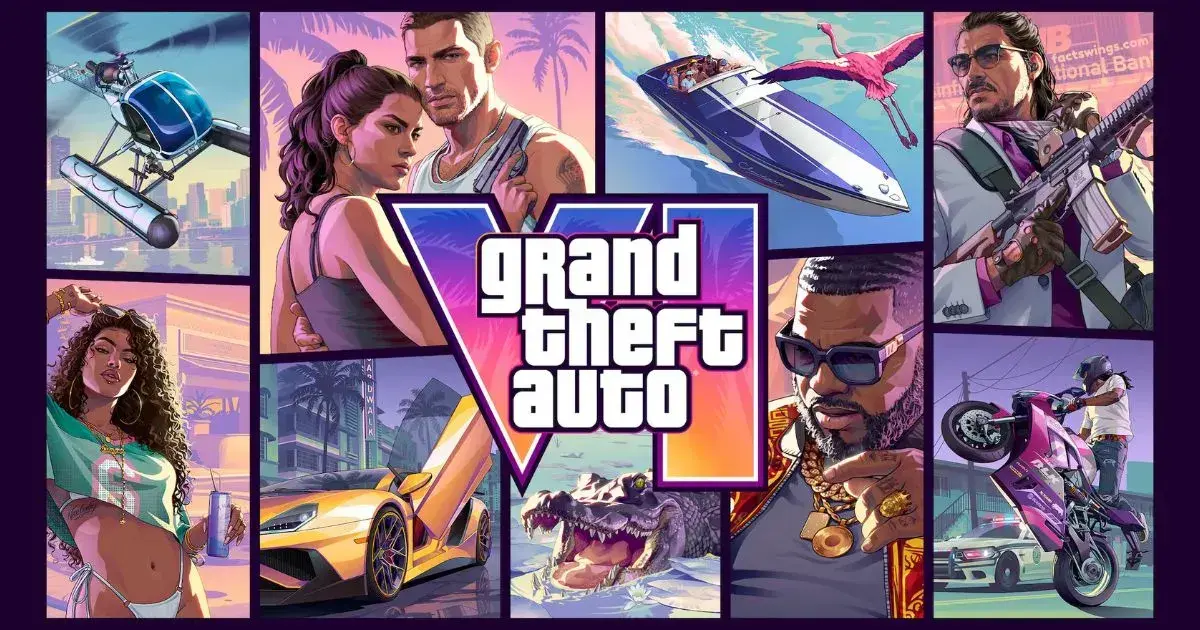
Grand Theft Auto VI is almost here, and millions of players are getting ready to explore the world of Vice City. If you own a PlayStation 5, you can prepare your console before the official launch. You can also download the game in advance using the preload feature.
However, downloading GTA 6 is not the same as playing it immediately. You must purchase the game, download the required files, install it, and wait for the official release time. Once the game becomes available, you can start playing on your PS5.
In this guide, we will explain how to play GTA 6 on PS5, how to download and install the game, how preload works, how much storage you need, and how to fix common download problems. The instructions are written in simple English, so even new PS5 users can follow them.
- Official release date: November 19, 2026.
- Supported PlayStation console: PS5 and PS5 Pro.
- Preload started: November 10, 2026.
- Recommended free storage: At least 212GB.
- Preload availability: Available for eligible purchases.
- Official platform: PlayStation 5.
1. GTA 6 Release Date on PS5
Rockstar Games has officially scheduled Grand Theft Auto VI for November 19, 2026. The game is coming to PlayStation 5 and Xbox Series X|S. PlayStation 4 is not included in the officially announced platform list.
The PlayStation version is designed for PS5 hardware. Players can also use a PS5 Pro, which offers additional visual improvements. According to PlayStation, the game uses features of the DualSense controller, including haptic feedback and adaptive triggers.
The game will unlock at midnight local time on November 19 in supported regions. This means players should check their local PlayStation Store and Rockstar release information rather than relying on a different country’s launch countdown.
For players in Bangladesh, the announced local-midnight schedule means the expected unlock is midnight at the start of November 19, Bangladesh time, subject to regional storefront availability.
2. What You Need Before Installing GTA 6
Before downloading GTA 6, make sure your PlayStation 5 is ready. The game requires a large amount of storage space, a working internet connection, and access to the PlayStation account used to purchase or redeem the game.
Here are the main things you should prepare:
- PlayStation 5: You need a compatible PS5 or PS5 Pro console.
- PlayStation Network account: Sign in to the account connected to your purchase.
- Game purchase: Buy the game from the PlayStation Store or use a valid download code.
- Internet connection: A stable connection is needed to download the game.
- Free storage: PlayStation recommends at least 212GB of available space.
- Updated system software: Keep your PS5 software updated.
You should also check your PlayStation account region before buying a digital code. Some game codes are restricted to specific account regions. A code purchased for one region may not work with an account registered in another region.
For this reason, always check the region information before purchasing a GTA 6 download code from a third-party retailer.
3. How to Buy GTA 6 on PS5
You need a valid copy of GTA 6 before downloading it. The easiest option is to purchase the game directly from the PlayStation Store using your PS5 or a supported web browser.
Buy GTA 6 from the PlayStation Store
Step 1: Open PlayStation Store
Turn on your PS5 and select the PlayStation Store icon from the home screen.
Step 2: Search for GTA 6
Use the search option and type Grand Theft Auto VI or GTA 6. Check the official game listing before continuing.
Step 3: Choose Your Edition
Select the available edition you want to purchase. Check the edition details carefully before paying.
Step 4: Complete Your Purchase
Follow the PlayStation Store payment instructions. Make sure the payment is successful and the game appears in your account’s purchase history.
Step 5: Check Your Game Library
After purchasing, open your Game Library and look for Grand Theft Auto VI. You can use this section to access the game download.
If you already pre-ordered GTA 6, you do not need to purchase it again. Simply sign in with the account used for the original order.
4. How to Preload GTA 6 on PS5
Preloading allows you to download a game before its official release. This is useful for large games because you do not need to wait for the full download after launch.
According to the official PlayStation announcement, GTA 6 preload started on November 10, 2026, at midnight local time for PS5 players. Therefore, eligible players can download the game before November 19.
Follow These Steps to Preload GTA 6
Step 1: Turn On Your PS5
Start your PlayStation 5 and connect it to a stable internet connection.
Step 2: Sign In to Your Account
Make sure you are using the same PlayStation account that purchased or pre-ordered GTA 6.
Step 3: Open Your Game Library
Go to the Games section and open Game Library. Find Grand Theft Auto VI in your purchased games.
Step 4: Select GTA 6
Open the GTA 6 game page. If preload is available for your purchase, you should see a download option.
Step 5: Select Download
Choose Download and allow your console to begin downloading the game files.
Step 6: Check Download Progress
Open Downloads/Uploads from the PS5 Control Center. You can check the progress and confirm that the download is running.
Once the preload is complete, GTA 6 will remain locked until the official release time. You can leave the game installed on your console and start it when it becomes available.
5. How to Install GTA 6 on PS5
For digital purchases, the PS5 normally handles the installation after downloading the required game files. You do not need to install the game manually using a computer.
If you have already purchased GTA 6 and downloaded it, check the following:
- Open the PS5 home screen.
- Go to Game Library.
- Select Your Collection.
- Find Grand Theft Auto VI.
- Check whether the download and installation are complete.
- Wait for any required installation or update process to finish.
You can also open Downloads/Uploads from the Control Center to check the current status. If the game is still downloading, allow the process to finish.
Enable Automatic Downloads
You can use the automatic update and Rest Mode settings to help your console download available content while you are away.
Follow this path:
Settings → Saved Data and Game/App Settings → Automatic Updates
Enable automatic downloads and the relevant Rest Mode options. Also check that your PS5 remains connected to the internet while in Rest Mode.
Remember that automatic downloads depend on the console settings, account permissions, available storage, and network connection. They are not a replacement for checking that the game has downloaded successfully.
6. How to Start Playing GTA 6 on PS5
After November 19, 2026, you can start playing GTA 6 once the game becomes available in your region and all required downloads are complete.
Follow these simple steps:
- Turn on your PlayStation 5.
- Connect to the internet if an update or online verification is required.
- Open the PS5 home screen.
- Find Grand Theft Auto VI in your installed games.
- Select the game and press the X button.
- Wait for the game to load.
- Follow the on-screen instructions to begin.
If this is your first time playing a Grand Theft Auto game, take some time to understand the controls and on-screen instructions. You can adjust supported settings from the game’s menus.
Do not expect to play simply because the download has finished. The official release unlock must happen first.
7. GTA 6 Storage Requirements on PS5
Storage is one of the most important things to check before downloading GTA 6. The game requires a large amount of free space, so you should prepare your console in advance.
PlayStation’s official preload announcement recommends clearing at least 212GB of storage space on PS5. Rockstar has also published an up-to-212GB storage requirement for the preload, depending on the device.
How to Check Free Storage on PS5
- Turn on your PS5.
- Open Settings.
- Select Storage.
- Check your available console storage.
- Review Games and Apps if you need to free up space.
How to Free Up Storage Space
If your PS5 does not have enough free space, you can remove games or applications that you no longer use.
- Delete games you have already finished.
- Remove old applications that you do not need.
- Move supported games to USB extended storage.
- Consider adding a compatible M.2 SSD if you need more internal storage.
A USB extended storage drive can store PS5 games, but PS5 games must be copied back to console storage or a compatible M.2 SSD before they can be played. A compatible M.2 SSD can provide additional space for installing and playing PS5 games.
If you plan to install several large games, additional storage can be useful. However, you do not need to purchase an SSD if your existing PS5 already has enough free space.
8. How to Fix GTA 6 Download Problems on PS5
Sometimes a large game download may stop, pause, or fail. This can happen because of internet problems, insufficient storage, account issues, or temporary PlayStation Store errors.
Here are some basic solutions you can try.
Problem 1: GTA 6 Is Not Downloading
First, check whether you are signed in to the correct PlayStation account. The account must be the one used to purchase the game or redeem its download code.
Next, check your internet connection and available storage. If everything looks correct, open Downloads/Uploads and try pausing and resuming the download.
Problem 2: Download Is Stuck
If the download does not move forward, try these steps:
- Pause the download.
- Wait a few seconds.
- Select Resume.
- Check your internet connection.
- Restart your PS5 if necessary.
If the download still does not start, follow PlayStation’s official troubleshooting instructions. You may need to cancel the download and start it again from your Game Library.
Problem 3: Not Enough Storage Space
If your PS5 displays a storage warning, open Settings and select Storage. Remove games or applications that you no longer need.
Make sure you have enough available space before trying the download again.
Problem 4: GTA 6 Is Locked
If GTA 6 shows a lock icon, check whether you are using the correct account and whether the official release time has arrived.
A completed preload does not unlock the game early. You must wait until the official launch time.
Problem 5: Your Download Code Does Not Work
If you purchased a GTA 6 code from a retailer, check that the code matches your PlayStation account region. Region restrictions can prevent a code from being redeemed on an account registered in another country.
If the code is missing or unreadable, contact the retailer. Do not share your code or PlayStation account password with strangers.
9. GTA 6 PS5 Features You Should Know
Grand Theft Auto VI has been developed to use the hardware features of PlayStation 5. Rockstar and Sony have highlighted several features designed to improve the experience.
DualSense Haptic Feedback
The DualSense controller includes haptic feedback. This technology can provide different physical sensations through the controller during gameplay.
Adaptive Triggers
The PS5 DualSense controller also includes adaptive triggers. GTA 6 uses this feature to provide additional feedback through the controller’s trigger buttons. Supported features can be adjusted through the game’s accessibility settings.
Tempest 3D Audio
PlayStation has confirmed that GTA 6 uses Tempest 3D Audio. This technology helps create a more detailed audio experience and can improve the sense of direction in supported sound environments.
PS5 Pro Visual Improvements
Players using PS5 Pro can benefit from additional visual improvements, including enhanced image clarity through PlayStation Spectral Super Resolution (PSSR) and ray-traced shadows.
These features are part of the PlayStation experience for GTA 6. Actual visual results can depend on the console model and display setup.
10. Important Tips Before Playing GTA 6
Before starting your first GTA 6 session, take a few minutes to prepare your console and gaming environment.
- Complete the preload: Download the game before launch day whenever possible.
- Check storage: Make sure your console has the required free space.
- Update your console: Install available PS5 system software updates.
- Use a stable connection: A reliable internet connection helps with downloads and updates.
- Check your account: Use the PlayStation account connected to your purchase.
- Protect your account: Never share your password or verification codes.
- Check game settings: Explore controller, audio, and accessibility settings.
- Use official sources: Avoid unofficial GTA 6 downloads, fake APK files, and suspicious websites.
One more important point: GTA 6 is an entertainment product intended for a mature audience. Check the official age rating in your region before purchasing it for yourself or someone else.
More Gaming Guides from FactsWings
Want to learn more about PlayStation gaming? Check out these helpful guides:
- How to Redeem a PlayStation Gift Card: Complete Guide
- 👉 PS5 Storage Full? Free Up Space
- Explore More Gaming and Technology Articles on FactsWings
Final Thoughts
Playing GTA 6 on PS5 is a simple process when you prepare everything before launch. First, purchase the game through the PlayStation Store or use a valid download code. Then, preload the game, check your storage, and make sure the installation is complete.
The official release date is November 19, 2026. Since PS5 preload is already available, eligible players can download the game before launch and avoid waiting for the full download on release day.
Remember that you need at least 212GB of free storage space according to PlayStation’s preload guidance. Also, make sure you use the correct PlayStation account and wait for the official release unlock.
Follow these steps, prepare your PS5, and get ready to explore the world of Grand Theft Auto VI.
Frequently Asked Questions (FAQ)
1. Can I play GTA 6 on PS5?
Yes. Grand Theft Auto VI is officially coming to PlayStation 5 and PS5 Pro. The official release date is November 19, 2026.
2. When can I download GTA 6 on PS5?
PS5 preload started on November 10, 2026, at midnight local time. Eligible players who purchased the game can download it before the official launch.
3. When will GTA 6 be released on PS5?
GTA 6 is scheduled to release on November 19, 2026. The game is expected to unlock at midnight local time in supported regions.
4. How much storage does GTA 6 need on PS5?
PlayStation recommends at least 212GB of free storage space for the GTA 6 preload. Keep additional space available if you plan to download other games or updates.
5. Can I play GTA 6 before November 19?
No. Preloading allows you to download the game early, but it does not allow you to play before the official release time.
6. Can I play GTA 6 on PS4?
No PS4 version has been officially announced. Rockstar lists PlayStation 5 and Xbox Series X|S as the supported platforms.
7. Do I need an internet connection to download GTA 6?
Yes. You need an internet connection to download the digital game files. You may also need an internet connection for updates and other online features.
8. Can I preload GTA 6 without pre-ordering?
You need an eligible purchase or valid download code to access the preload. Simply having a PS5 does not give you access to the game download.
9. Does GTA 6 support PS5 Pro?
Yes. GTA 6 supports PS5 Pro, with additional visual improvements including PSSR image clarity and ray-traced shadows.
10. Can I download GTA 6 using a physical box?
The announced physical code-in-box version contains a digital download code rather than a game disc. You must redeem the code and download the game.
Sources and References
This article uses official Rockstar Games and PlayStation information to verify the release date, preload instructions, supported platforms, and storage requirements.
- Rockstar Games: Official GTA VI Website
- Rockstar Games Support: GTA VI Regional Preload and Release Times
- PlayStation Blog: Pre-load Grand Theft Auto VI on PS5
Editorial Note: FactsWings aims to provide accurate and helpful gaming information. Release dates, download requirements, and platform features may change. Readers should check official Rockstar Games and PlayStation announcements for the latest information.